


Logging into your Xfinity router lets you manage WiFi settings, change passwords, and troubleshoot connection issues. Here’s how—straightforward steps, no confusion.
Quick Login Steps
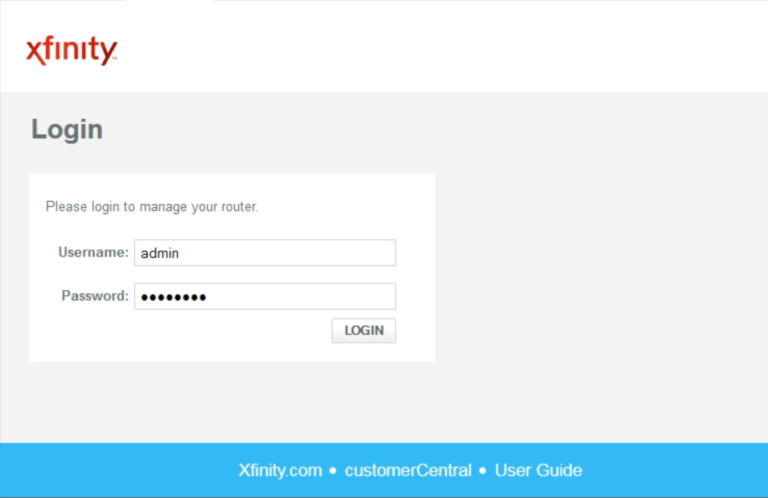
- Connect to Your Xfinity Network
Use WiFi or plug an Ethernet cable directly into your Xfinity gateway. - Open a Web Browser
Any browser works (Chrome, Firefox, Safari, Edge). - Enter the Router Address
Type 10.0.0.1 in the address bar. - Enter Login Credentials
- Click Login
You’re now in the Xfinity Admin Tool.
Default Xfinity Router Login Credentials
| Field | Value |
|---|---|
| Login Address | http://10.0.0.1 |
| Username | admin |
| Password | Check bottom label of gateway or password |
Note: Both username and password are case-sensitive.
Change Your WiFi Name and Password
Once logged in:
- Click Gateway in the left menu.
- Select Connection → Wi-Fi.
- Under Private Wi-Fi Network, click Edit next to your network name.
- Change the Network Name (SSID) or Network Password.
- Click Save Settings.
If you have dual-band (2.4GHz and 5GHz), edit both with the same password for easier connections.
Can’t Access 10.0.0.1? Try This
- Make sure you’re connected to Xfinity WiFi or plugged in via Ethernet.
- Try 192.168.1.1 or 192.168.100.1 instead (older models).
- Clear your browser cache and try again.
- Try a different browser or device.
- Use the Xfinity xFi app (some newer models require this for changes).
Forgot Your Password? Factory Reset
If you forgot the gateway password:
- Locate the small Reset button on the back of your gateway.
- Press and hold it for 30 seconds.
- Release and wait for the lights to blink—router is resetting.
- Once lights stabilize, log in with default credentials (admin / password).
After reset, change your password again to something you’ll remember.
Modern Xfinity Routers: Use the App Instead
In 2025, many newer Xfinity gateways prioritize the Xfinity xFi app over direct IP login for security reasons. If 10.0.0.1 doesn’t work or asks for account login:
- Download the Xfinity xFi app.
- Log in with your Xfinity account credentials.
- Select your gateway and manage WiFi settings from there.
This is the recommended, most secure method for newer equipment.
FAQs
For most current Xfinity gateways, yes. Older models may use 192.168.1.1 or 192.168.100.1. Check your gateway label if 10.0.0.1 doesn’t work.
No. The username always stays admin. You can only change the password.
Perform a factory reset by pressing the reset button for 30 seconds. You’ll regain access with default credentials, then set a new password.
Newer gateways route WiFi management through the Xfinity xFi app with your Comcast account for enhanced security.
Using 10.0.0.1 only works on your home network. Use the Xfinity xFi app for remote access.
-
Verizon Fios Router Login: Step-by-Step Admin Access Guide
How to Login to Verizon Fios Router You can access your Verizon Fios router settings to change WiFi passwords, manage devices, or fix connection issues using a simple web interface. Here’s the exact process. Quick Login Steps Default Verizon Router Login Credentials Verizon routers use specific defaults based on the model. If you haven’t changed…
-
T-Mobile Hotspot Login: Complete Admin Access Guide with Passwords & Fixes
T-Mobile hotspots are portable mobile devices that create a WiFi network—they’re basically tiny routers powered by cellular data. The admin login lets you change the WiFi name, password, manage connected devices, and configure advanced settings like data limits and APN profiles. Most T-Mobile hotspots let you log in via a web dashboard (called WebUI Manager) by visiting http://mobile.hotspot or 192.168.0.1 from…
-
10.0.0.2: What It Is, How to Login, Default Passwords, and Common Issues
What Is 10.0.0.2? 10.0.0.2 is a private IP address from the 10.0.0.0–10.255.255.255 range, often used as: Some ISPs or enterprise-style setups use 10.0.0.1 as the main router and assign 10.0.0.2 to a secondary device (like another router, modem, or controller). How to Login to 10.0.0.2 Use this exact sequence; skipping steps is where most people break it.…
